
 mbunch_kascope
1ee718b9b0
Add on Folder
mbunch_kascope
1ee718b9b0
Add on Folder
|
2 yıl önce | |
|---|---|---|
| .. | ||
| .github | 2 yıl önce | |
| Samples~ | 2 yıl önce | |
| Scripts | 2 yıl önce | |
| Shaders | 2 yıl önce | |
| .releaserc.json | 2 yıl önce | |
| CHANGELOG.md | 2 yıl önce | |
| CHANGELOG.md.meta | 2 yıl önce | |
| CODE_OF_CONDUCT.md | 2 yıl önce | |
| CODE_OF_CONDUCT.md.meta | 2 yıl önce | |
| CONTRIBUTING.md | 2 yıl önce | |
| CONTRIBUTING.md.meta | 2 yıl önce | |
| LICENSE.md | 2 yıl önce | |
| LICENSE.md.meta | 2 yıl önce | |
| README.md | 2 yıl önce | |
| README.md.meta | 2 yıl önce | |
| Scripts.meta | 2 yıl önce | |
| Shaders.meta | 2 yıl önce | |
| package.json | 2 yıl önce | |
| package.json.meta | 2 yıl önce | |
README.md
Particle Effect For UGUI (UI Particle)
:warning: NOTE: Do not use the obsolete tags and branches to reference the package. They will be removed in near future. :warning:
This plugin provide a component to render particle effect for uGUI in Unity 2018.2 or later.
The particle rendering is maskable and sortable, without Camera, RenderTexture or Canvas.









<< Description | Demo | Installation | Usage | Development Note | Change log >>
Description

This plugin uses new APIs MeshBake/MashTrailBake (added with Unity 2018.2) to render particles by CanvasRenderer.
You can mask and sort particles for uGUI without Camera, RenderTexture, Canvas.
Compares this "Baking mesh" approach with the conventional approach:
(This scene is included in the package.)
|Approach|Good|Bad|Screenshot|
|-|-|-|-|
|Baking mesh
(UIParticle)|Rendered as is.
Maskable.
Sortable.
Less objects.|Requires Unity 2018.2 or later.
Requires UI shaders to use Mask.| |
|Do nothing|Rendered as is.|Looks like a glitch.
|
|Do nothing|Rendered as is.|Looks like a glitch.
Not maskable.
Not sortable.| |
|Convert particle to UIVertex
|
|Convert particle to UIVertex
(UIParticleSystem)|Maskable.
Sortable.
Less objects.|Adjustment is difficult.
Requires UI shaders.
Difficult to adjust scale.
Force hierarchy scalling.
Simulation results are incorrect.
Trail, rotation of transform, time scaling are not supported.
Generate heavy GC every frame.| |
|Use Canvas to sort|Rendered as is.
|
|Use Canvas to sort|Rendered as is.
Sortable.|You must to manage sorting orders.
Not maskable.
More batches.| |
|Use RenderTexture|Maskable.
|
|Use RenderTexture|Maskable.
Sortable.|Requires Camera and RenderTexture.
Difficult to adjust position and size.
Quality depends on the RenderTexture's setting.| |
|
Features
- Easy to use: the package is out-of-the-box
- Sort particle effects with UI
- No Camera, RenderTexture or Canvas are required
- Masking with Mask or RectMask2D
- Support Trail module
- Change alpha with CanvasGroup
- No heavy allocation every frame
- Support overlay, camera space and world space
- Support changing material property with AnimationClip (AnimatableProperty)

Demo
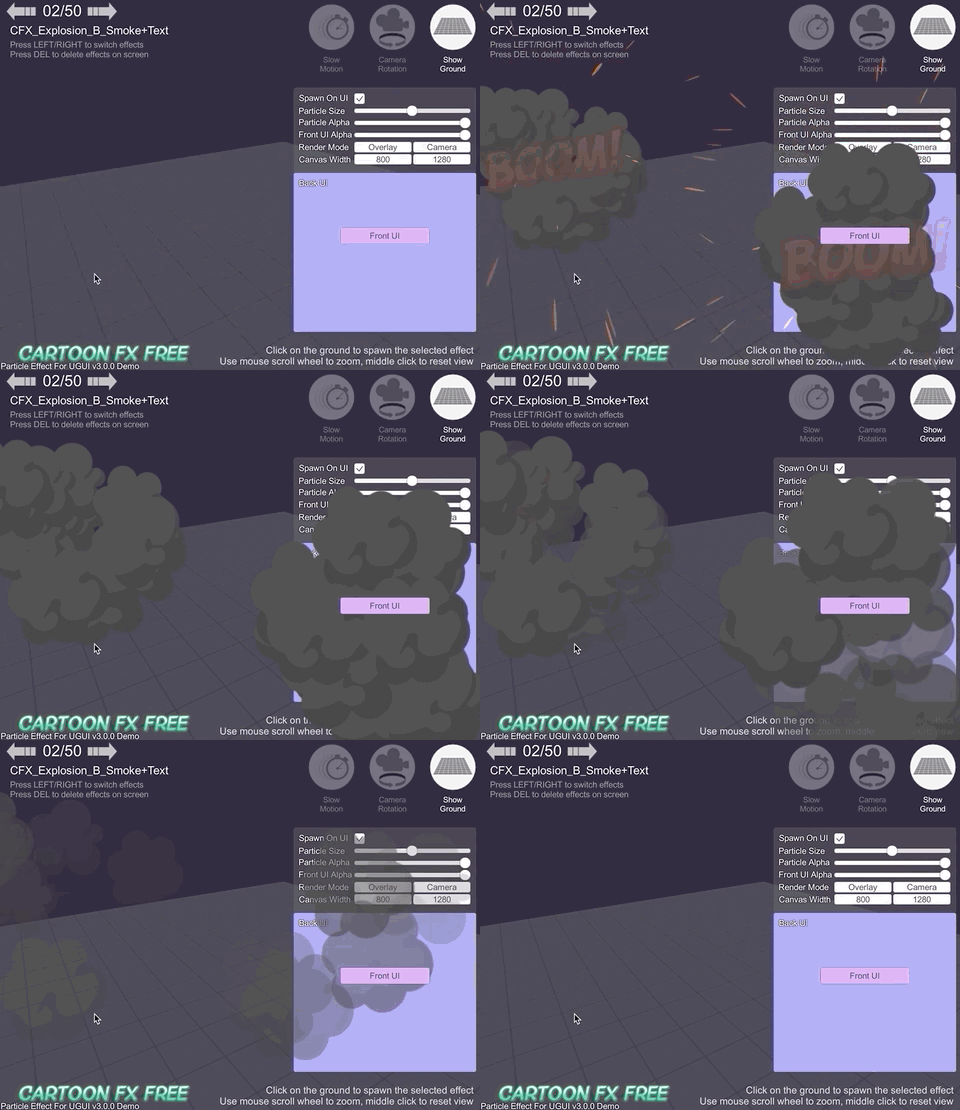
- WebGL Demo
- WebGL Demo (Cartoon FX & War FX)
- Cartoon FX Free & War FX (by Jean Moreno (JMO)) with UIParticle
Installation
Requirement
Using OpenUPM
This package is available on OpenUPM.
You can install it via openupm-cli.
openupm add com.coffee.ui-particle
Using Git
Find the manifest.json file in the Packages folder of your project and add a line to dependencies field.
"com.coffee.ui-particle": "https://github.com/mob-sakai/ParticleEffectForUGUI.git"
To update the package, change suffix #{version} to the target version.
"com.coffee.ui-particle": "https://github.com/mob-sakai/ParticleEffectForUGUI.git#3.3.0",
Or, use UpmGitExtension to install and update the package.
For Unity 2018.2
Unity 2018.2 supports embedded packages.
- Download a source code zip file from Releases page
- Extract it
- Import it under
Packagesdirectory in your Unity project
How to play demo
For Unity 2019.1 or later
- Open
Package Managerwindow - Select
UI Particlepackage in package list - Click
Import Samplebutton

- The demo project is imported into
Assets/Samples/UI Particle/{version}/Demo - Open
UIParticle_Demoscene and play it
For Unity 2018.4 or earlier
- Select
Assets/Samples/UI Particle Demofrom menu - The demo project is imported into
Assets/Samples/UI Particle/{version}/Demo - Open
UIParticle_Demoscene and play it
About Cartoon FX & War Fx Demo
- It requires free assets (Cartoon FX Free & War FX)
Usage
UIParticle component
UIParticle controls the ParticleSystems that is attached to its own game objects and child game objects.

| Properties | Description |
| -- | -- |
| Maskable | Does this graphic allow masking. |
| Ignore Canvas Scale | Ignore the scale of the root canvas.
This prevents it from displaying small even in hierarchy scaling mode of ParticleSystem. |
| Scale | Scale the rendering.
When the 3D toggle is enabled, 3D scale (x,y,z) is supported. |
| Animatable Properties | If you want update material properties (e.g. _MainTex_ST, _Color) in AnimationClip, use this to mark the changes. |
| Shrink By Material | Shrink rendering by material.
Performance will be improved, but in some cases the rendering is not correct. |
| Rendering Order | The ParticleSystems to be rendered.
You can change the rendering order and the materials. |
NOTE: Press Refresh button to reconstruct rendering order based on children ParticleSystem's sorting order and z position.
Basically usage
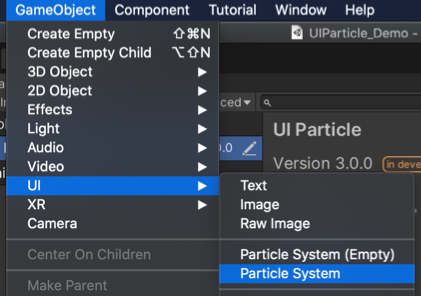
- Select
Game Object/UI/ParticleSystemto create UIParticle with a ParticleSystem.
- Adjust the ParticleSystem as you like.

With your ParticleSystem prefab
- Select
Game Object/UI/ParticleSystem (Empty)to create UIParticle.

- Drag & drop your ParticleSystem prefab on UIParticle.

With Mask or MaskRect2D component
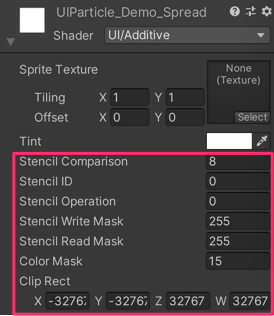
If you want to mask particles, set a stencil supported shader (such as UI/UIAdditive) to material for ParticleSystem.
Script usage
// Instant ParticleSystem prefab with UIParticle on runtime.
var go = GameObject.Instantiate(prefab);
var uiParticle = go.AddComponent<UIParticle>();

// Play/Stop the controled ParticleSystems.
uiParticle.Play();
uiParticle.Stop();
Development Note
Animatable material property
Animation clips can change the material properties of the Renderer, such as ParticleSystemRenderer.
It uses MaterialPropertyBlock so it does not create new material instances.
Using material properties, you can change UV animation, scale and color etc.
Well, there is a component called CanvasRenderer.
It is used by all Graphic components for UI (Text, Image, Raw Image, etc.) including UIParticle.
However, It is NOT a Renderer.
Therefore, in UIParticle, changing ParticleSystemRenderer's MaterialPropertyBlock by animation clip is ignored.
To prevent this, Use "Animatable Material Property".
"Animatable Material Property" gets the necessary properties from ParticleSystemRenderer's MaterialPropertyBlock and sets them to the CanvasRenderer's material.
Contributing
Issues
Issues are very valuable to this project.
- Ideas are a valuable source of contributions others can make
- Problems show where this project is lacking
- With a question you show where contributors can improve the user experience
Pull Requests
Pull requests are, a great way to get your ideas into this repository.
See CONTRIBUTING.md.
Support
This is an open source project that I am developing in my spare time.
If you like it, please support me.
With your support, I can spend more time on development. :)


License
- MIT


